Alarm.com Doorbell Reconnection VDB770

Alarm.com Doorbell Reconnection VDB770

Reconnection Instructions:
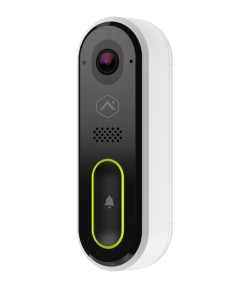
    • Related Articles

    • Alarm.com - Reconnecting or changing a doorbell camera's Wi-Fi network

      If you have added a wi-fi extender to your network in order to improve signal strength at the doorbell, you will need to delete the door bell from your account before re-adding it. Alarm.com - Deleting a video device/doorbell camera from client ...
    • Alarm.com - Reconnect an ADC-VDB770 if the wireless network or router changes

      If the ADC-VDB770 disconnects from the user's network due to networking hardware replacement (e.g., a new router or access point) or Wi-Fi settings change, reconnect the device using AP mode or WPS. Reconnect the VDB770 using AP mode: The camera is ...
    • Alarm.com - Syncing your Skybell to your account

      Syncing the Wi-Fi Doorbell Camera with Alarm.com is fast and simple via your Alarm.com customer app on your mobile device. Ensure the Doorbell Camera is flashing with a alternating Red/Green pattern. Download the Alarm.com App and log into your ...
    • Alarm.com - Skybell Wireless Signal Strength

      If you are experiencing issues with your Skybell (doorbell camera) such as:  - Poor, inconsistent or no video captures  - Black screen when attempting to view at the door  - Poor video quality   Please check the wireless signal strength To check the ...
    • Alarm.com - What do the LEDs on the ADC-VDB770 mean?

      Status light guide Note: The ADC-VDB770 does not give an indication when it detects motion or a button press. LED pattern Description Off Power off Solid red No local or Internet connection Blinking red Power on, camera booting Solid green Connected ...